Krunker es un juego de Acción desarrollado por FRVR, y LDPlayer es la mejor plataforma para jugar Krunker en PC con Windows, ofreciendo potentes funciones que te ayudarán a disfrutar de una experiencia de juego inmersiva.
Cuando juegas Krunker en tu computadora, puedes ajustar la configuración de la frecuencia de cuadros para disfrutar de una experiencia de juego fluida y de gráficos asombrosos.
Además, LDPlayer proporciona mapeo de teclado preconfigurado para facilitar al máximo el control de todas las operaciones del juego. La mejora continua del mapeo de teclado también aumenta la sensibilidad de las teclas y la precisión en la liberación de habilidades. Para mejorar tu experiencia de juego, LDPlayer también ha configurado botones especiales para ti, como botones de disparo, ocultar el cursor y presionar continuamente.
Si prefieres jugar con un Gamepad, la detección automática de GamePad activada te permite personalizar el control con solo unos clics simples, permitiéndote mover libremente a tu héroe. ¡Descarga y juega Krunker en tu computadora ahora mismo!
THE NEW OFFICIAL KRUNKER APP rebuilt from the ground up to deliver a complete mobile experience. Enjoy gameplay with high FPS (up to 144) and next-level controls customization with a draggable editor and sliders for fine-tuning. Are you looking to check the market, check stats, or purchase KR? The new Krunker app lets you do all that while outside of the game (while saving you on battery life).It’s a personalized Krunker experience, the perfect companion app for PC players, and the ultimate way to play Krunker mobile.FULLY CROSS-PLATFORM FAST-PACED FPS
Are you ready for a true challenge? Tired of fighting against bots in other mobile FPS games? Battle with anyone (real players only), whether they're on a PC, Mac, or Chromebook, Android or iOS device. No bots. Explore literally 100,000+ user-created custom maps for limitless gameplay variety.
Popular Modes include:
- Free For All
- Infected Zombies Mode
- Parkour Mode
- Many More!
ULTIMATE CONTROLS CUSTOMIZATION
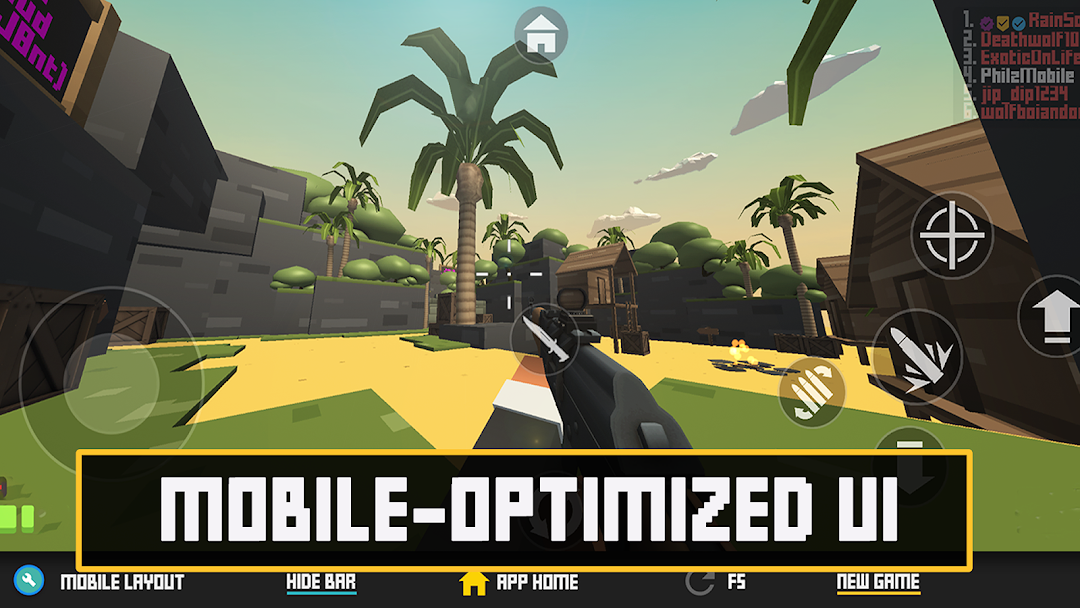
Choose your own way to customize your layout: the new Krunker app combines a draggable button editor with sliders for precise control, and lets you fine-tune the opacity and scale of each button. Controls are saved automatically, but you can also back-up your button layout via copy/paste so you can access it later or share with friends.
THE FULL KRUNKER HUB EXPERIENCE
Access all of Krunker’s features all in a single app, including 100% of the functionality of the Krunker Hub app plus the Krunker Client App.
LIST OF FEATURES & OPTIMIZATIONS:
Reduced battery drain while on the app home screen, market, shop, etc.
Featured custom games on the app home screen
Collect your free KR every hour
Browse Krunker Social
Check the Krunker leaderboards
Refresh (F5) button in-game
Buy, trade, and sell on Krunker Market
Buy KR and spins to unlock new items
Check profile and inbox
Play Krunker mobile in full screen with a slide-up drawer that lets you access convenient features like a “new game” button.
Customize your button layout with a draggable layout editor and make fine-tune adjustments using sliders.
KRUNKER SEASON 5
Enjoy a content-packed new Krunker season that includes:
- New Official Raid Event: Tortuga
- 500+ new Weapon Skins
- 100+ new Hats
- Over 150 other new items
- Added new Item Type: Collectible
- Can now dissolve your skins to earn Junk
- Junk & Materials has a chance to spawn around every pub map
- Added Junkyard to Shop: Craft unique skins & items
- Added new Blackmarket skins
- Added masteries for all primary weapons to Blackmarket