
All-In-One Offline Maps
OfflineMaps le ofrece acceso a una amplia gama de mapas!
El desarrollador oficial de All-In-One Offline Maps es Psyberia; LDPlayer solo ofrece el servicio de descarga del APK.

Visión general

FAQ
Ejecutar All-In-One Offline Maps en PC con LDPlayer
All-In-One Offline Maps es una aplicación de Mapas y navegación desarrollada por Psyberia que se puede ejecutar en dispositivos móviles, pero con el mejor emulador de Android, LDPlayer, puedes descargar All-In-One Offline Maps en tu computadora y disfrutarlo plenamente.
Al ejecutar All-In-One Offline Maps en tu computadora, puedes ver claramente en una pantalla grande, y controlar la aplicación con el ratón y el teclado es mucho más rápido que con el teclado táctil, además, nunca tendrás que preocuparte por la duración de la batería de tu dispositivo.
Con la función de multi-apertura y sincronización, incluso puedes ejecutar múltiples aplicaciones y cuentas en tu PC.
Además, la función de transferencia de archivos facilita el intercambio de imágenes, videos y archivos.
Descarga All-In-One Offline Maps y ejecútalo en tu PC. ¡Disfruta de la pantalla grande y la alta calidad de imagen en tu PC!
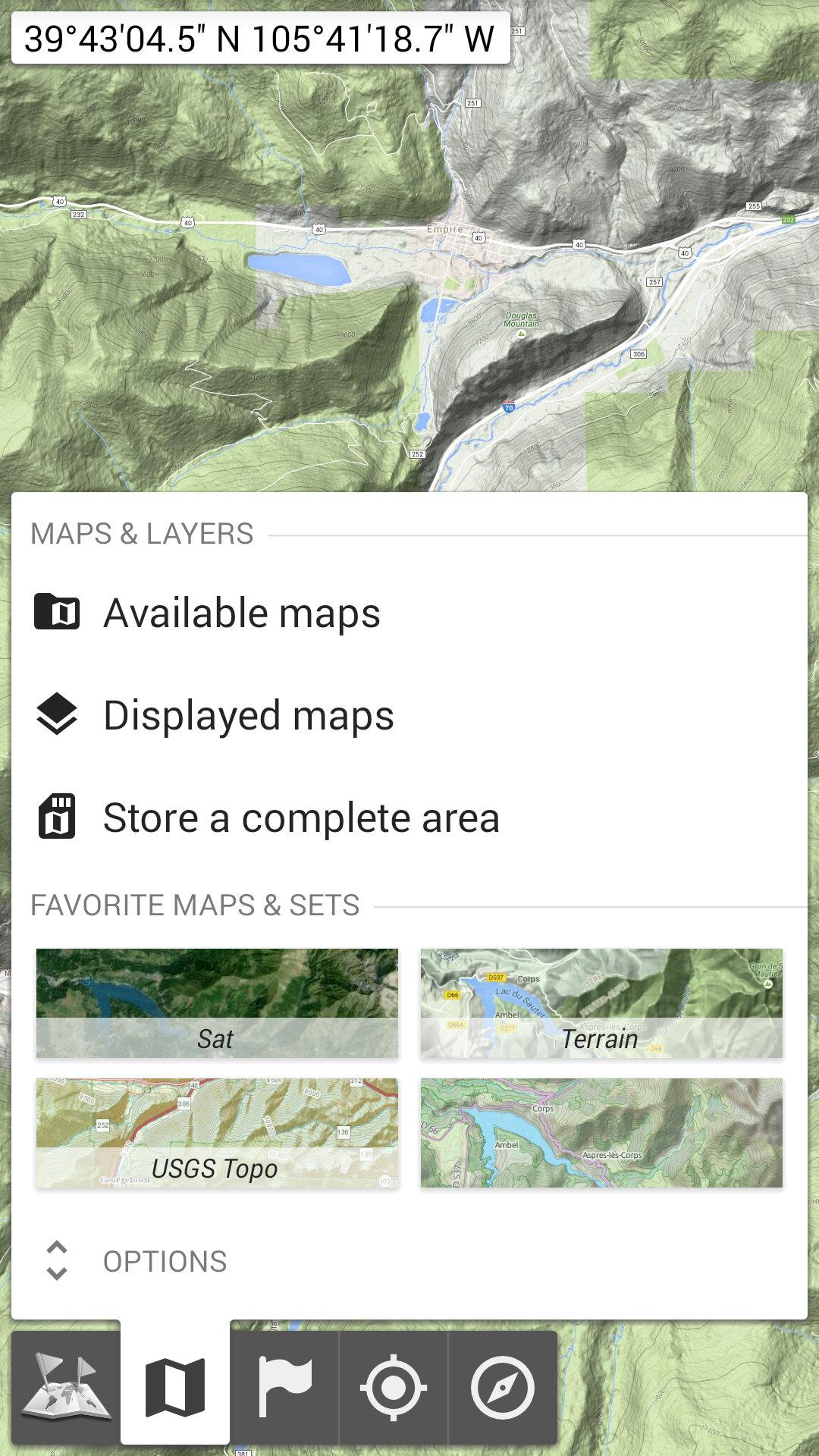
No advertisements ~ No data sharing & monetization ~ No analytics ~ No third party librariesBored to wait for maps to display? Use All-In-One OfflineMaps! Once displayed, maps are stored and remain available, quickly, even with no network access.
• Want more than just roads on your maps? You will find what you need here;
• Used to go to places with poor network coverage? Everything will stay available;
• Used to go abroad? You won’t be lost anymore;
• Have a data allowance limit? It will reduce your usage.
★★ Maps ★★
A lot of maps are available, including classical road maps, topographic maps, aerial (satellite) maps and various layers that can be added over any maps: OpenStreetMap (Roads, Topo), USGS National Map (Hi-res topo, Aerial imagery), Worldwide Military Soviet topo maps, etc.
• All maps can be stacked in layers, with precise opacity control;
• Select and store large areas in few clicks;
• Stored space is clear and can be easily deleted.
★★ Display, store and retrieve unlimited placemarks ★★
You can add various items on the map such as waypoints, icons, routes, areas and tracks.
You can easily manage them using the powerful SD-Card Placemarks Explorer.
★★ On-map GPS Location & Orientation ★★
Your real location and direction are clearly displayed on the map, which can be rotated to match your real orientation (depends on device capabilities).
Easy turn on/off to save battery.
And also:
• Metric, imperial and hybrid distance units;
• GPS Latitude/Longitude and grid coordinate formats (UTM, MGRS, USNG, OSGB Grid, Irish Grid, Swiss Grid, Lambert Grids, DFCI Grid, QTH Maidenhead Locator System, …);
• Ability to import hundreds of coordinate formats from https://www.spatialreference.org;
• On-map grids display;
• Full screen map view;
• Multi-touch zoom;
• …
★★ Need more? ★★
If you are a real adventurer, try AlpineQuest Off-Road Explorer, the complete outdoor solution based on All-In-One OfflineMaps, loaded with a powerful GPS Track Recorder and more: https://www.alpinequest.net/google-play
Capturas de pantalla y videos de la versión para PC de All-In-One Offline Maps



¿Cómo descargar y ejecutar All-In-One Offline Maps en PC?
 1
1Descarga e instala LDPlayer en tu computadora.
 2
2Encuentra Play Store en las aplicaciones del sistema de LDPlayer, inícialo e inicia sesión en tu cuenta de Google.
 3
3En el cuadro de búsqueda, ingresa y busca All-In-One Offline Maps.
 4
4Selecciona y instala All-In-One Offline Maps de los resultados de búsqueda.
 5
5Una vez completada la descarga e instalación, regresa a la página de inicio de LDPlayer.
 6
6Haz clic en el ícono del juego en la página de inicio de LDPlayer para comenzar a disfrutar del juego.


