
Dynamic Notification by Grice
Haga que su teléfono inteligente sea amigable y útil
El desarrollador oficial de Dynamic Notification by Grice es GriceMobile; LDPlayer solo ofrece el servicio de descarga del APK.

Visión general

FAQ
Ejecutar Dynamic Notification by Grice en PC con LDPlayer
Dynamic Notification by Grice es una aplicación de Productividad desarrollada por GriceMobile que se puede ejecutar en dispositivos móviles, pero con el mejor emulador de Android, LDPlayer, puedes descargar Dynamic Notification by Grice en tu computadora y disfrutarlo plenamente.
Al ejecutar Dynamic Notification by Grice en tu computadora, puedes ver claramente en una pantalla grande, y controlar la aplicación con el ratón y el teclado es mucho más rápido que con el teclado táctil, además, nunca tendrás que preocuparte por la duración de la batería de tu dispositivo.
Con la función de multi-apertura y sincronización, incluso puedes ejecutar múltiples aplicaciones y cuentas en tu PC.
Además, la función de transferencia de archivos facilita el intercambio de imágenes, videos y archivos.
Descarga Dynamic Notification by Grice y ejecútalo en tu PC. ¡Disfruta de la pantalla grande y la alta calidad de imagen en tu PC!
Make your phone even more beautiful and useful with simple changes that reflect your style and enhance everyday functionality.FEATURES
* Make your front camera more beautiful.
* Show the track info when you play it in background and you can control it as PAUSE, NEXT, PREVIOUS.
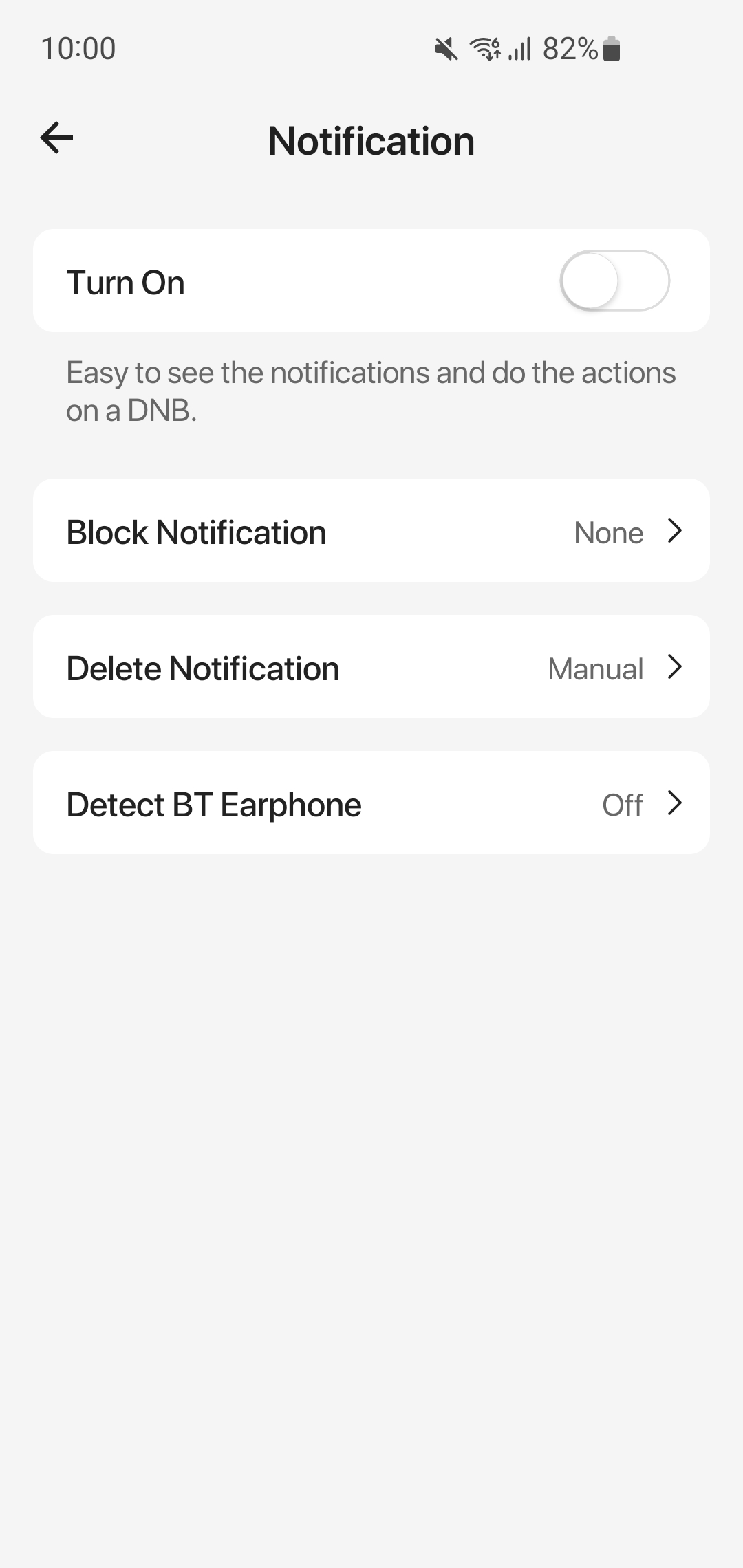
* Easy to see the notifications and do the actions .
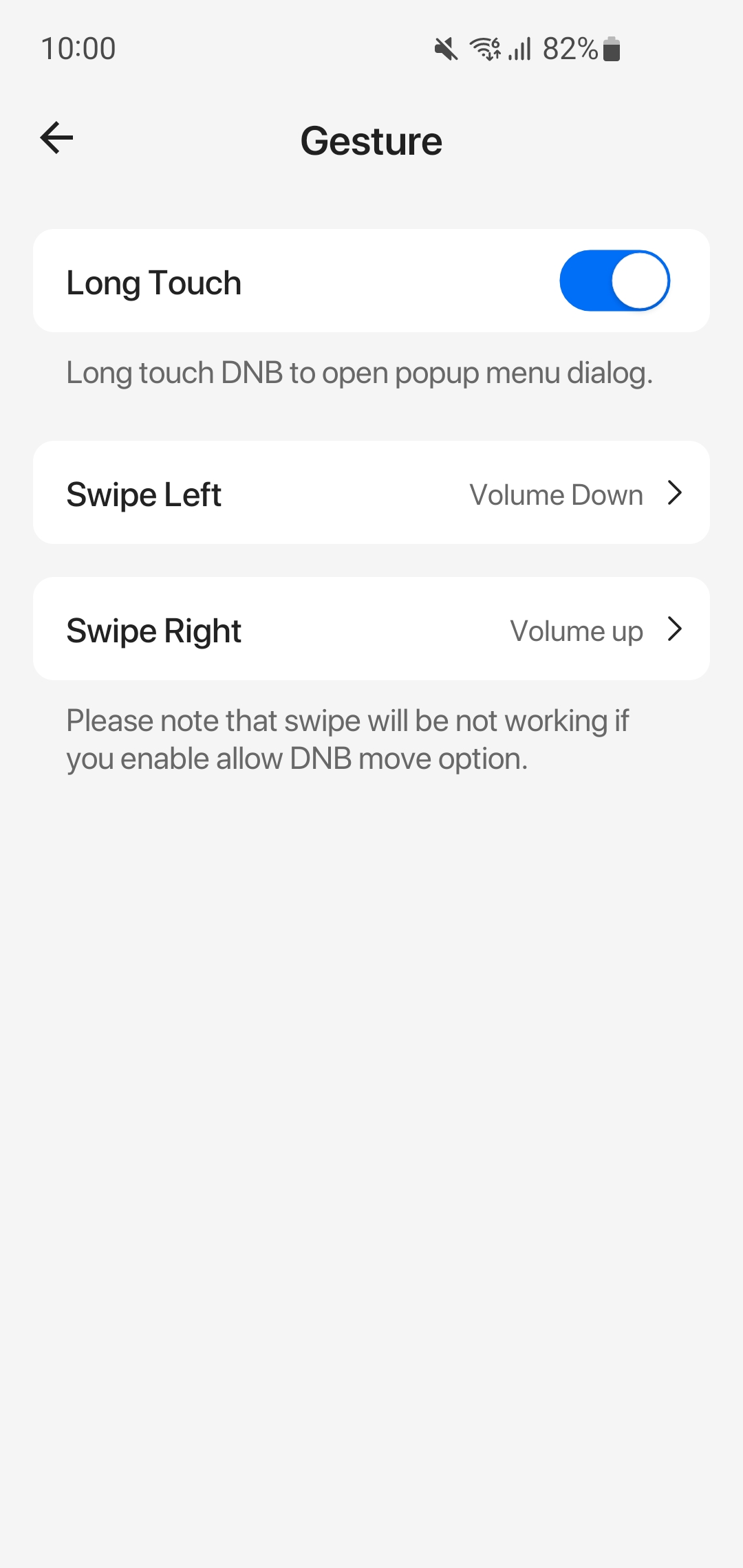
* By swiping you can lock screen, do volume up down, take screenshot, you can do above actions on expanded menu layout.
PERMISSION
* BILLING donate to support our development team.
* ACCESSIBILITY_SERVICE to display floating view.
* BLUETOOTH_CONNECT to detect BT earphone inserted.
* READ_NOTIFICATION to show media control or notifications on
* REQUEST_IGNORE_BATTERY_OPTIMIZATIONS prevent the System suddenly stops app.
DISCLOSURE:
The app utilizes the AccessibilityService API solely to display the floating view, please assured no data is collected or shared using the AccessibilityService API.
FEEDBACK
* If you have any problem while using this application, please let us know we will check and update as soon as possible.
* Email: gricemobile@gmail.com
Capturas de pantalla y videos de la versión para PC de Dynamic Notification by Grice


¿Cómo descargar y ejecutar Dynamic Notification by Grice en PC?
 1
1Descarga e instala LDPlayer en tu computadora.
 2
2Encuentra Play Store en las aplicaciones del sistema de LDPlayer, inícialo e inicia sesión en tu cuenta de Google.
 3
3En el cuadro de búsqueda, ingresa y busca Dynamic Notification by Grice.
 4
4Selecciona y instala Dynamic Notification by Grice de los resultados de búsqueda.
 5
5Una vez completada la descarga e instalación, regresa a la página de inicio de LDPlayer.
 6
6Haz clic en el ícono del juego en la página de inicio de LDPlayer para comenzar a disfrutar del juego.


