
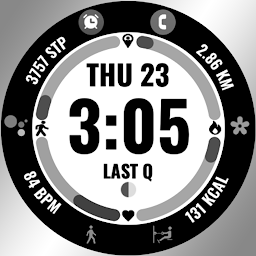


Fitness Track es una aplicación de Personalización desarrollada por Xan Watchfaces que se puede ejecutar en dispositivos móviles, pero con el mejor emulador de Android, LDPlayer, puedes descargar Fitness Track en tu computadora y disfrutarlo plenamente.
Al ejecutar Fitness Track en tu computadora, puedes ver claramente en una pantalla grande, y controlar la aplicación con el ratón y el teclado es mucho más rápido que con el teclado táctil, además, nunca tendrás que preocuparte por la duración de la batería de tu dispositivo.
Con la función de multi-apertura y sincronización, incluso puedes ejecutar múltiples aplicaciones y cuentas en tu PC.
Además, la función de transferencia de archivos facilita el intercambio de imágenes, videos y archivos.
Descarga Fitness Track y ejecútalo en tu PC. ¡Disfruta de la pantalla grande y la alta calidad de imagen en tu PC!
📍INSTALLATION GUIDEOur watch face apps are thoroughly tested in a real device (Galaxy Watch 4) and are "reviewed and approved" by the Google Play Store Team before publishing them.
TAKE NOTE❗️❗️❗️
1️⃣ Watch faces automatically install on WEAR OS watch.
2️⃣ MAKE SURE THE WATCH IS STRONGLY CONNECTED TO YOUR PHONE USING THE SAME WIFI. MUST ALSO LOG IN TO YOUR GOOGLE ACCOUNT "ON WATCH" FOR SEAMLESS INSTALLATION.
3️⃣ After download, WAIT for a few minutes for the watch face to be transferred on watch. (There will be a notification on your watch if the watch face was successfully transferred.)
4️⃣ If incase there is no notification, Go to PLAYSTORE ON YOUR WATCH and type on the SEARCH BOX "Fitness Track"
5️⃣ The watch face will show up, then hit on install button.
⭐️ Watch faces don't automatically change after successful installation. Go back to home display. Tap and hold display, swipe until the end and tap + to add the watch face. Rotate Bezel to find the watch face.
📍Please see Feature Graphics for more details how to install.
⭐️ALLOW / ENABLE all permissions from settings -> applications -> permissions.
⚠️⚠️⚠️ Refund is ONLY allowed within 48 hours.
📍FEATURES:
-Digital Clock
-Date
-Always-On (AOD)
-Preset App Shortcuts
-Customizable App Shortcuts & Complication
-Different Color Options
📍Supports Wear OS watches, but some features may not be available on some watches.
Contact us at: roxanflorendo@gmail.com
Youtube Installation Tutorial: https://www.youtube.com/watch?v=vMM4Q2-rqoM


