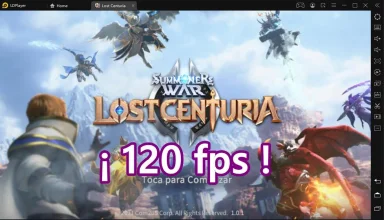
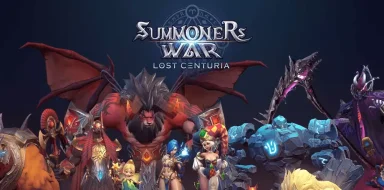
Summoners War: Lost Centuria es un juego de Estrategia desarrollado por Com2uS, y LDPlayer es la mejor plataforma para jugar Summoners War: Lost Centuria en PC con Windows, ofreciendo potentes funciones que te ayudarán a disfrutar de una experiencia de juego inmersiva.
Cuando juegas Summoners War: Lost Centuria en tu computadora, puedes disfrutar de largas sesiones de juego. Utiliza la función de grabación de scripts para grabar automáticamente acciones y tareas repetitivas. Esto te permitirá subir de nivel más rápido y recolectar recursos de manera más eficiente.
Además, si deseas realizar combos de un solo clic o si el juego requiere movimientos de habilidades repetitivos, la función de macros es muy útil. La ejecución de operaciones con un solo clic te permitirá eliminar a tus enemigos rápidamente.
Si deseas administrar múltiples cuentas, la función de multi-apertura y sincronización también puede ayudarte. Puedes jugar con tu cuenta principal mientras ejecutas cuentas alternativas para su crecimiento y desarrollo. ¡Descarga y juega Summoners War: Lost Centuria en tu computadora ahora mismo!
The more the merrier! New content update complete!Enjoy the new content with more Summoners!
Are you looking for a battle where you can enjoy both action and strategy? Start Summoners War: Lost Centuria now!
From the creators of the global hit game Summoners War: Skyarena comes an addicting real-time strategy RPG with all your favorite Summoners War monsters.
▶ You Against the World
- Fight with Summoners around the world in real-time battles.
- Breathtaking real-time battles with spectacular skill animations.
- Compete for the top rank against players worldwide.
▶ Experience a Deeper Level of Strategy
- Real-time strategic action with unpredictable counterattack mechanics
- Fast-paced dynamic battles that require a quick mind and a quicker finger.
- Claim victory with surprise counterattacks in epic 8v8 battles.
- Strategize for a variety of PvE and PvP content.
▶ Collect Unique Monsters
- Summon the iconic monsters that captured 100M summoners around the world from the popular RPG, Summoners War: Sky Arena.
- Earn a legendary monster through battle rewards.
▶ Create Your Dream Team
- Craft Runes and equip Skill Stones to upgrade your favorite monsters.
- Choose from 12 different Rune sets and 3 types of Skill Stones to find the ultimate combination.
- Come up with the best strategy to make the most of your team in fun, dynamic battles!
▶ Your Strategy Matters! More Fierce and Various Battle Systems
- Rank higher in the World Tournament and increase your chances of advancing to the next level tournament!
- Battle with randomly provided monster cards in Event Mode!
- Experience various unique battle systems and plentiful rewards in Lost Centuria!
▶ More Ways to Play with Your Friends!
- Invite friends and get progressively bigger rewards as your friends become stronger!
- Start your very own friendly contests! Don't miss out on this opportunity in Goodwill Contest!
▶ Call in the Squad!
- Form an Alliance with players around the world.
- Work together with Alliance members to upgrade your monsters with card sharing.
- Earn and redeem Alliance points for more summons and other amazing rewards.
▶ Let us hear from you!
Website: https://summonerswar.com/LostCenturia
Facebook: https://www.facebook.com/LostCenturia
YouTube: https://www.youtube.com/SummonersWarLostCenturia
***
Device App Access Permission Notice
▶ Notice per access permission
Access permissions are requested in order for us to provide you with the following service when you use the app.
[Required]
None
[Optional]
STORAGE: The permission is required to store game data and will not access personal files such as photos.
Notification: This is the right to request when you want to receive push messages for the game.
※ You'll be able to enjoy the service except features related to above authorities even if you don't give permission to the above.
※ If you are using an Android version under 6.0, it is recommended that you upgrade the version to 6.0 or up as you cannot set the optional access permission individually.
▶How to remove access permissions
After allowing the access permission, you can revoke or modify the access permissions as follows:
[OS 6.0 and up]
Settings > Apps > Select the app > Permissions > allow or deny permissions
[Under OS 6.0]
Upgrade the OS to deny access permission or delete app
***
• Items are available for purchase in this game. Some paid items may not be refundable depending on the type of item.
• Terms of Service: http://terms.withhive.com/terms/mobile/policy.html
• Privacy Policy: https://terms.withhive.com/terms/policy/view/M660
• For questions or customer support, please contact our Customer Support by visiting https://customer.withhive.com/com2us